

Gaming laptops have been all the rage these few years, and it seems like every manufacturer wants a share of that pie. Gigabyte is no stranger to the table and today we have the P55G V5 gaming notebook in our labs. It might get a little confusing when talking to seasoned enthusiast that you’re gaming on a Gigabyte P55G V5 as they might think that you’re still rocking an LGA1156 platform for your games.
Specifications
OS | Windows 10 Pro Windows 10 Windows 7 Professional |
CPU | 6th Generation Intel® Core™ i7-6700HQ (2.6GHz-3.5GHz) |
Display | 15.6″ Full HD 1920×1080 IPS Anti-glare Display LCD |
System Memory | 8GB/16GB DDR4 2133, 2 slots (Max 32GB) |
Chipset | Mobile Intel® HM170 Express Chipset |
Video Graphics | Intel® HD Graphics 530 NVIDIA® GeForce® GTX 960M GDDR5 2GB Supports NVIDIA® Optimus™ Technology |
Storage | *Support Dual-Storage System -2.5” HDD * 1 slot -1 x M.2 SSD slots (Type 2280, supports NVMe PCIe X4 & SATA) *The storage capacity may differ by country and region. Please contact your local dealers or retailers for the latest product information. |
Keyboard Type | Full-sized Backlit Keyboard |
Optical Disk Drive | Blu-ray Rewritable Drive Super Multi DVD RW |
I/O Port | USB 3.0 (Type-A)*3, USB 3.1 (Type-C)*1, HDMI 2.0, D-sub, RJ45, Mic-in, Earphone-out , SD Card Reader, DC-in Jack |
Audio | 2 Watt Speaker*2, Microphone, Dolby® Digital Plus™ Home Theater |
Communications | LAN: 10/100/1000Mbps Ethernet Wireless LAN: 802.11 ac (a/b/g/n compatible) Bluetooth: Bluetooth V4.1+ LE |
Webcam | HD Camera |
Security | Kensington Lock |
Battery | Li-ion 6-cell ,5400mAh,63Wh |
Adapter | 120W |
Dimensions | 379.71(W) x 269.38(D) x 26.8~34(H) mm |
Weight | ~2.4kg (w/Battery, ODD) ~2.5kg (w/Battery, ODD, HDD) |
Packaging

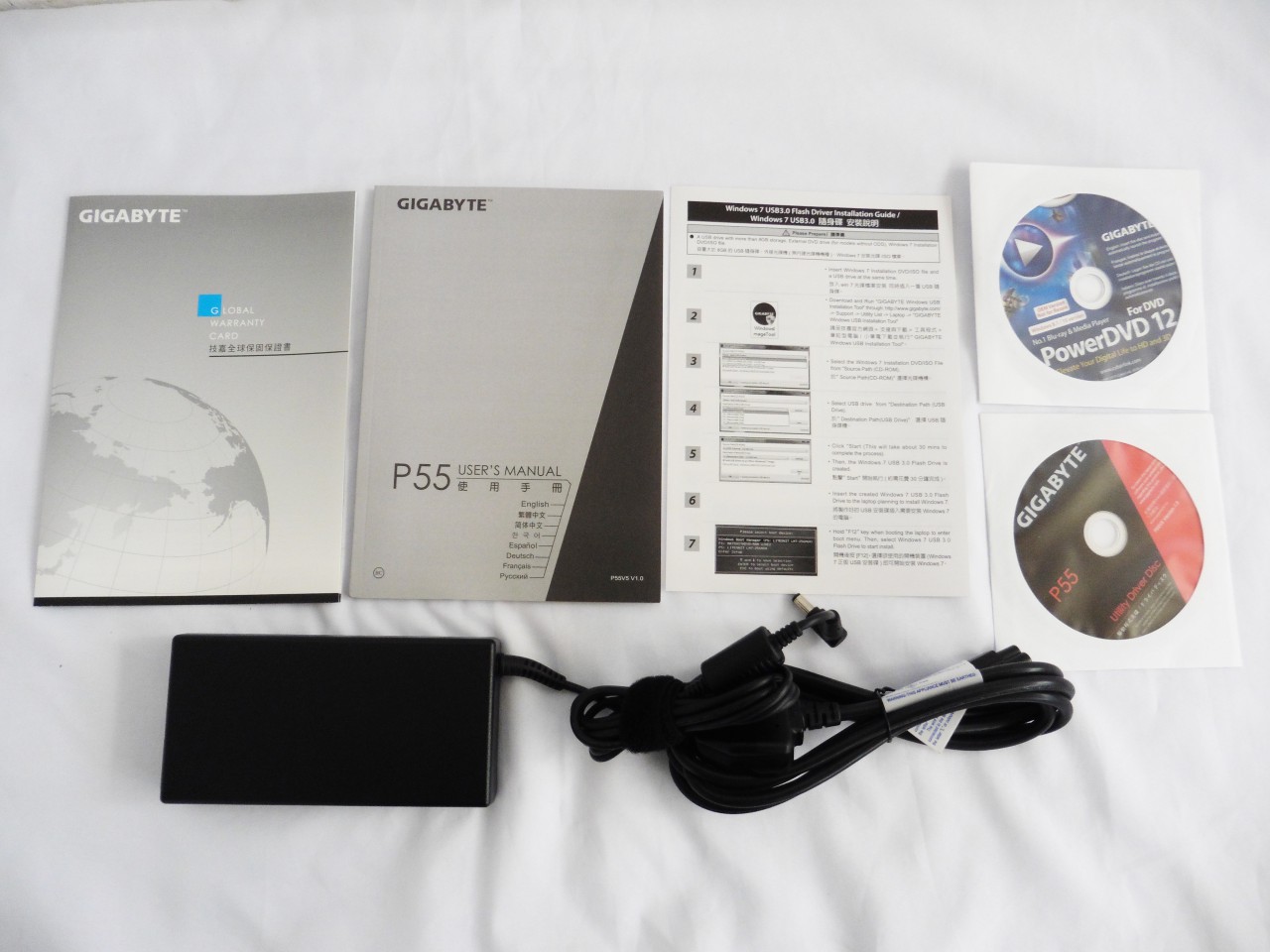
The P55G V5 Gaming Notebook


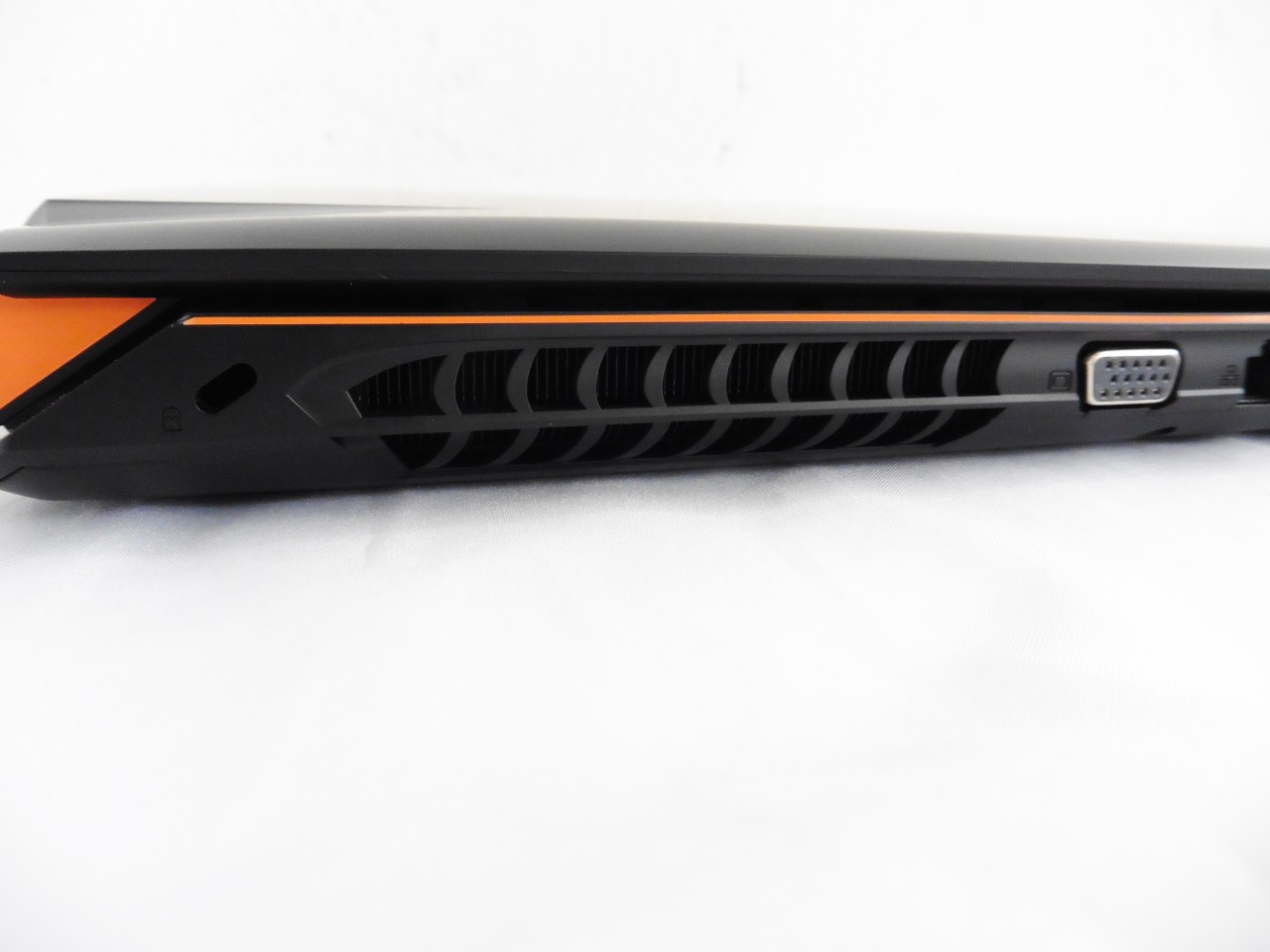


The Innards


Software: Gigabyte Smart Manager
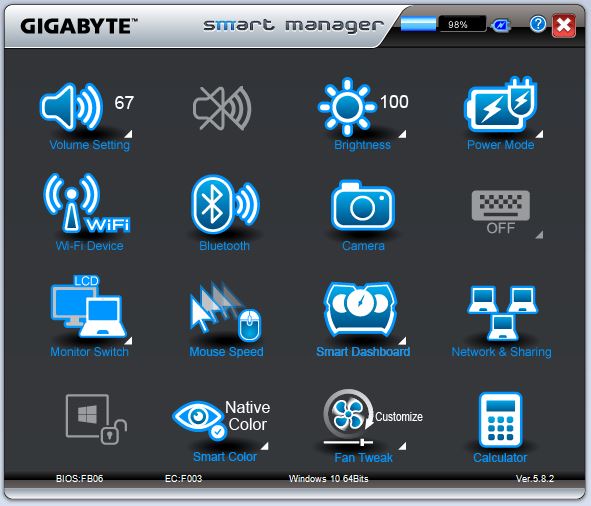
The P55G V5 comes with its own proprietary software that allows users to manage each and every function available on the gaming notebook with ease.
One of the features that we find really useful is the Fan Tweak that allows users to customize the cooling fan speed rather than relying on the temperature controlled fan speed for the maximum cooling performance.
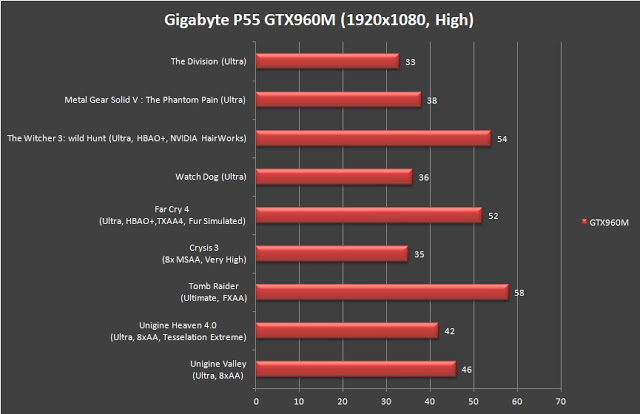


We’ve also tested the P55G V5 with a more realistic test case for lightweight office work and web surfing, as well as running graphically intensive games. The result displays a much more pleasant looking numbers, but the GPU temperature reading looks concerning as it topped 76°C which we consider rather high.
Running games like Tom Clancy’s The Division, Watch Dogs and Crysis 3 on full details is taxing a lot on the GTX 960M and the average FPS you’ll be getting hovers around the so-called playable 30fps by some game developers. Going lower with the settings will of course results in a higher FPS, though it’s up to the user to decide for the settings which they find comfortable to game on without losing too much graphical detail.
Short battery life issue can be a nuisance for the P55G V5 but as far as we can tell, but this happens to pretty much all gaming notebooks that we’ve reviewed in the past and you will have to bear with it for now as the only way to run the gaming notebook at its full potent is to connect it to its power source.
With MSRP of RM4299, we’d say that what the P55G V5 can deliver to the end user is pretty much a fair deal as a decent gaming notebook compared to most products of the same tier, especially for its 8GB memory which its competitor from the same tier offers only 4GB of memory in total. Unless if the aesthetics aspect such as illuminated keyboard is something one is insisting on having, the P55G V5 might not be the one to go for as it doesn’t comes with illuminated keyboard like what other competitor brands like ASUS, Alienware, etc can offer on their gaming notebooks in the same tier – the keyboard does lights up, but not for the fonts, number and symbols.
Pros
- Decent graphics performance
- Comes with 8GB of Memory
- Additional slot for 2.5″ SSD / HDD
- Lightweight and easy to carry around
- Adjustable fan speed via Gigabyte Smart Manager software
Cons
- Costly
- Cooling performance for GPU isn’t ideal
- Limited battery life