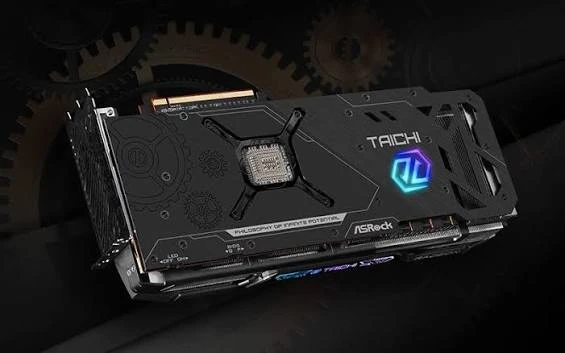
A close-up of a cooling fan looks convincing beneath a sentence about thermal performance. It does not show the temperature that was measured. A smooth tracking shot of a laptop says even less about how long its battery lasted. In a gadget review, attractive footage and test evidence often sit beside one another, but they should not be mistaken for the same thing.
The script is where that distinction can be made before editing creates an accidental claim. Each important statement needs the right supporting material: a recorded result, a visible demonstration, an attributed specification, or a clearly framed opinion. The camera may illustrate all four, but the viewer should be able to tell which kind of statement is being made.
Write The Result Before Choosing The Beauty Shot
Start with the evidence already collected for the review. Keep test conditions beside the relevant result in the working notes. If a measurement has not been taken, leave it unresolved rather than drafting a confident sentence that somebody will later feel obliged to support. The production should follow the test, not quietly invent one to match a polished script.
For an imagined laptop review, “the palm rest felt warm during this workload” is an observation with a particular context. It is not equivalent to “the cooling system cannot handle demanding work.” The latter reaches much further. Before deciding what footage should accompany the line, narrow the wording to what the reviewer actually observed or measured.
Laper’s project knowledge area can hold focused source material separately from the screenplay. That gives the writer a place to keep the review’s evidence notes while developing the spoken explanation. Name the relevant test note in a request instead of asking the assistant to fill in missing performance details from general expectations about the product category.
Match Each Claim To Its Proper Support
A small mapping makes the editorial distinction visible. The following examples describe different kinds of support rather than results from a real device. They are useful when planning which material must be captured and which shots are simply there to orient the viewer.
| Kind of statement | Appropriate support | What nearby footage cannot establish |
| Measured result | Recorded value and relevant test conditions | A beauty shot cannot prove performance |
| Observed behaviour | A representative demonstration of the stated behaviour | One example cannot establish every use case |
| Manufacturer specification | Current product source and clear attribution | Packaging footage is not independent verification |
| Reviewer preference | A stated reason connected to actual use | A cinematic angle cannot turn taste into fact |
When using AI script writing software, preserve these distinctions in the brief. Ask for a clearer explanation of a supplied result, with the test conditions intact. If the draft changes “in this test” to “always,” the revision has broadened the claim. A smoother sentence is not an improvement when it says more than the evidence supports.
Keep The Demonstration Continuous Where Timing Matters
Some behaviours need to be seen unfolding. If the review discusses a delay after a button press, cutting away between the press and the response can hide the very thing being described. Plan a continuous view for that interval, or explain any editorial treatment clearly. The necessary shot may be less glamorous than a montage, but it carries information the montage cannot.
Likewise, a comparison should make relevant differences in conditions visible. A task shown on two devices is difficult to interpret if one begins from a different state. The script can flag the starting condition and specify the action to record. Actual testing methodology belongs to the review process; the writing should accurately communicate it rather than imply a controlled comparison where none was performed.
Do not rescue missing evidence with stock footage. If a required demonstration was not captured, either record it or change the statement. A generic screen animation may explain an idea, but it should not appear to document a result from the reviewed unit. Make that distinction before the editor reaches for a visually convenient replacement.

Use B-Roll To Clarify Physical Details Instead
Illustrative footage has plenty of legitimate work to do. It can show the location of a port, the shape of a hinge, or the space a device occupies on a desk. A close view may explain why a connector is awkward to reach. These shots help the viewer understand the object without pretending to measure what they cannot show.
Draft the physical action separately from the voice track in AI Screenwriting Software such as Laper. Read the two parts together for a section that moves from a result to a design opinion. The visual instruction should change when its job changes, so an attractive close-up is not left carrying a claim it was never meant to support.
Be careful when one shot serves several sentences. A close-up that correctly illustrates the first line may become misleading under the next. For example, a view of a charging connector can identify its position, but it cannot establish charging time. Mark the change in evidentiary job so the editor knows when the footage needs to change or the narration needs a qualifier.
Review The Rough Cut For Accidental Overstatement
Watch the rough cut as a viewer who has never seen the test notes. What would they reasonably conclude from the combination of words and images? A comparison chart left on screen beneath a broad conclusion may suggest that every displayed workload was tested. A reaction shot may make a minor inconvenience look like a repeated fault. Inspect those implications as carefully as the spoken claims.
Then compare the cut with the evidence records. Check that the shown device variant, test condition, and spoken result still match. If the script changed after filming, identify every affected shot rather than assuming the original coverage remains suitable. Editorial accuracy depends on the assembled sequence, not on the correctness of each file considered alone.
If a later test contradicts the first impression, revise the conclusion as well as the number shown on screen. A chart can be corrected while the voiceover still calls the result exceptional. The reviewer should explain which observation now supports the verdict, and the editor should check the surrounding reaction shots and captions for the older implication.
Keep the accepted script changes in Laper so the next pickup recording uses the revised wording. The writer, reviewer, and editor should agree on the unresolved gaps before calling the section complete. A brief missing shot can be cheaper to obtain than a long explanation trying to repair an impression the final video should never have created.
Let The Viewer Know What Was Actually Established
Evidence-led scripting suits reviews where readers need to distinguish a tested result from a persuasive presentation. It still leaves room for visual style and a strong personal verdict. The reviewer simply needs to show where the verdict comes from and where the available evidence ends.
A well-made beauty shot can make a review enjoyable. A properly framed test can make it useful. Plan both, and let each do its own work. When the narration, demonstration, and supporting record agree, the audience can judge the device without having to untangle the production’s unintended claims.