

High ping can turn an otherwise enjoyable gaming session into a frustrating experience. You press a button, but your character reacts a moment later. Enemies seem to teleport, and shots that should have landed somehow miss.
Naturally, many gamers look for ways to reduce latency. One common question is: does a VPN reduce ping?
Yes, a VPN can sometimes lower ping, particularly when your internet service provider (ISP) uses inefficient routes to reach a game server. However, the result depends on your network conditions, the VPN server location, and the route your traffic takes.
Let’s explore how VPNs affect gaming latency, when they can help, and how to test whether one improves your connection.
What Is Ping and Why Does It Matter for Gaming?
Ping measures how long it takes for data to travel from your device to a server and back. It’s usually expressed in milliseconds (ms).
For example, a ping of 20 ms means the round trip takes approximately 20 milliseconds. A ping of 150 ms means the same process takes much longer.
In competitive games like Valorant, Counter-Strike 2, and Fortnite, this difference can affect how quickly your actions register on the server.
Lower ping generally means more responsive gameplay, while higher ping can make movement, shooting, and interactions feel delayed.
Ping vs. Latency, Jitter, and Packet Loss
Several network measurements affect online gaming:
- Ping: The measured round-trip time between your device and a server.
- Latency: The delay involved in transmitting data across a network.
- Jitter: How much latency varies over time.
- Packet loss: Data packets that fail to reach their destination.
A connection with 30 ms ping and frequent spikes may feel worse than one that consistently stays at 50 ms.
That’s why a stable connection matters just as much as a low ping reading.
Does a VPN Actually Reduce Ping?
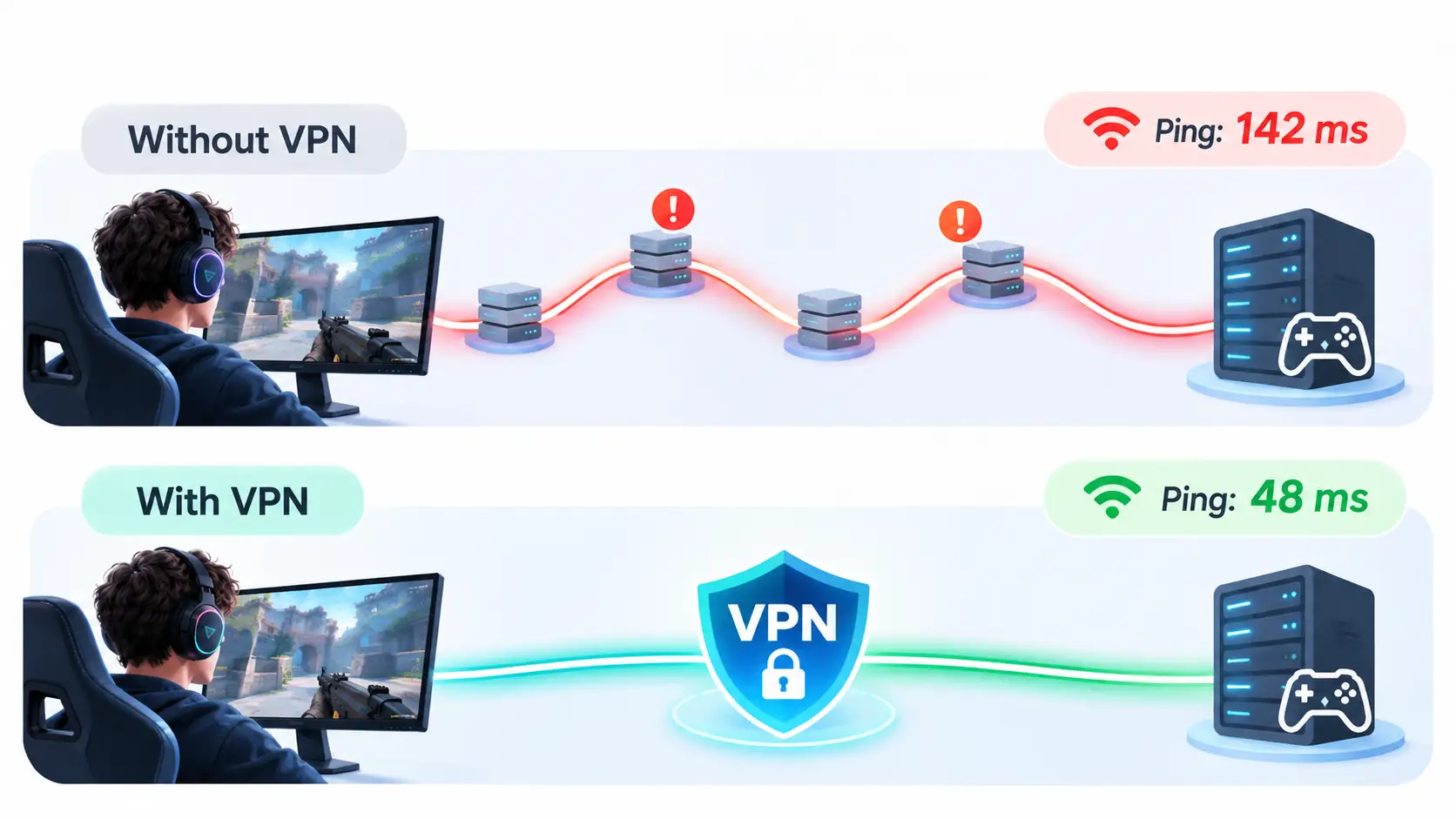
A VPN can reduce ping when it provides a better network route between your device and the game server.
Normally, your gaming traffic travels through your ISP and several intermediate networks before reaching its destination.
When you use a VPN, your traffic first travels through an encrypted connection to a VPN server. From there, it continues toward the game server.
This changes the path your data takes.
For example, services like X-VPN allow users to connect through VPN servers in different locations. Testing alternative server locations can help determine whether a different network route improves gaming performance.
How a VPN Changes Your Connection Route
Consider a player connecting to a game server in another country.
Their ISP might route traffic through several busy network exchanges, creating unnecessary delays.
A VPN could provide an alternative route that reaches the destination more efficiently.
In that situation, the improved routing might outweigh the extra processing and travel involved in using a VPN.
The result could be lower ping or fewer latency spikes.
Why a VPN Doesn’t Always Improve Ping
A VPN adds another connection point between your device and the game server.
Your traffic must reach the VPN server before continuing to its destination. Encryption and forwarding also introduce some processing overhead.
If your ISP already provides a direct, efficient route, adding a VPN usually increases latency.
The VPN server’s location, capacity, and network connections all influence the final result.
When Can a VPN Reduce Ping?
Certain network conditions make VPN routing worth testing.
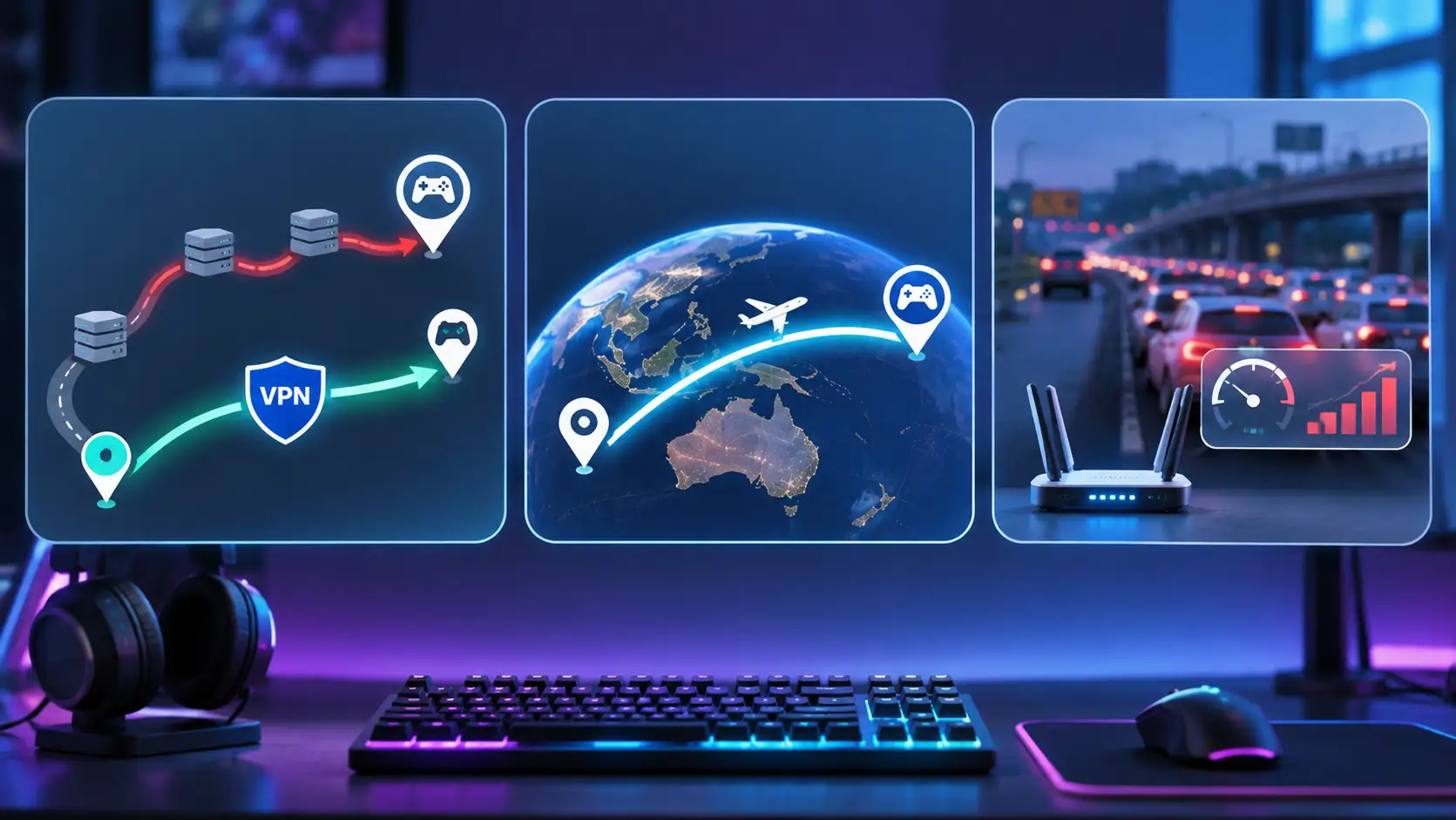
1. Your ISP Uses Inefficient Routing
ISPs don’t always send traffic through the shortest or fastest available path.
Sometimes, a connection to a nearby game server travels through distant network exchanges because of how providers exchange traffic.
A VPN may take a different route and avoid some of these unnecessary detours.
This is particularly relevant when your ping is consistently higher than expected despite having a fast internet connection.
2. You’re Connecting to International Game Servers
Playing on overseas servers often means higher latency because data must travel farther.
A VPN may improve the route to an international server if its network connections are more efficient than your ISP’s existing path.
For Fortnite players, server region selection introduces another consideration. Different regions can affect both latency and matchmaking.
If you’re exploring Fortnite bot lobbies and matchmaking regions, it’s useful to understand how regional settings work before comparing connections.
For accurate ping testing, keep the game’s matchmaking region unchanged while switching VPN servers.
3. Your Connection Passes Through Congested Networks
Internet routes can become crowded during peak hours.
If your ISP sends traffic through a congested network exchange, your game may experience higher ping or sudden latency spikes.
A VPN might route traffic around that congested segment.
This can be particularly useful when gaming performance becomes noticeably worse in the evening, even though your local connection appears normal.
When Can a VPN Make Ping Worse?
A VPN isn’t always the fastest route to a game server. Several factors can increase latency.
1. The VPN Server Is Too Far Away
Connecting through a distant VPN server adds travel time.
For example, routing traffic through Europe when both you and your game server are in Southeast Asia creates an unnecessary detour.
Choosing a geographically closer server is usually a better starting point.
2. The VPN Server Is Overloaded
Busy VPN servers may experience additional processing delays or network congestion.
These conditions can cause higher ping, inconsistent response times, and occasional packet loss.
Testing another server can help identify whether the problem comes from a particular location.
3. Your Original Connection Is Already Efficient
If your ISP already has excellent routing to the game server, a VPN may offer little benefit.
A direct connection with stable, low latency is generally preferable to adding an unnecessary network hop.
4. The Problem Comes From Your Home Network
Weak Wi-Fi signals, background downloads, and router congestion can all create latency problems.
Because these issues occur before traffic reaches the wider internet, changing the external route through a VPN usually won’t fix them.
How to Test Whether a VPN Reduces Ping
The most reliable way to evaluate VPN gaming performance is to compare real gameplay under similar conditions.
You don’t need specialized networking equipment. A Windows PC, a VPN application, and a game with a ping indicator are enough to get started.
Step 1: Measure Your Ping Without a VPN
Start your game with the VPN disconnected.
Choose a specific game server or matchmaking region and record your average ping during several matches.
Pay attention to sudden spikes, inconsistent movement, or packet loss warnings.
Testing multiple sessions provides a more useful baseline than checking a single reading.
Step 2: Connect to a VPN Server
Open your VPN application and connect to a server in a location that could offer a suitable route to your game server.
Start with a nearby location, then consider alternatives closer to the game’s hosting region.
Keep your game server selection unchanged so you’re comparing the same destination.
Step 3: Test Your Ping Again
Launch the same game and play several matches using the VPN connection.
Record your average ping and watch for changes in connection stability.
Try to test at approximately the same time of day, since network congestion can vary considerably.
If your VPN offers different protocols or servers, compare them separately.
Step 4: Compare Your Results
Organize your measurements using a simple table:
| Metric | Without VPN | With VPN |
| Average Ping | Record result | Record result |
| Jitter | Record result | Record result |
| Packet Loss | Record result | Record result |
| Connection Stability | Record observations | Record observations |
Look beyond the lowest ping number.
A connection that maintains consistent latency throughout a match may provide a better experience than one with slightly lower average ping but frequent spikes.
Other Ways to Lower Ping While Gaming
Even when a VPN helps, optimizing your local network can improve gaming performance further.
Use a Wired Ethernet Connection
Wi-Fi connections can experience interference, weak signals, and inconsistent latency.
Connecting your PC directly to the router with an Ethernet cable removes many wireless variables and often provides more stable gaming performance.
Choose a Nearby Game Server
Physical distance remains one of the biggest factors affecting latency.
Whenever possible, select a game server geographically close to your location.
Many multiplayer games offer automatic region selection or display estimated ping for available regions.
Close Background Downloads
Large downloads, cloud backups, and software updates can compete with gaming traffic for bandwidth.
This becomes particularly noticeable when your connection’s upload capacity is limited.
Pause unnecessary transfers before starting a competitive match.
Optimize Your Router Settings
Some modern routers include Quality of Service (QoS) or gaming traffic prioritization features.
These settings can help manage competing network activity when multiple devices share the same connection.
Keeping router firmware updated and checking for local congestion can also improve stability.
Should You Use a VPN for Gaming?
A VPN is worth testing when your connection suffers from inefficient ISP routing, congestion on certain network paths, or inconsistent performance when reaching international servers.
If your games already run smoothly with low ping, your existing connection may be the better option.
For PC gamers, the best approach is to compare both configurations under similar conditions.
Choose the setup that consistently delivers responsive gameplay, minimal packet loss, and stable latency.
Frequently Asked Questions
Can a VPN Lower Ping in Valorant or CS2?
Yes, if the VPN provides a more efficient route to the game server.
Competitive FPS games are particularly sensitive to latency, so even relatively small changes can affect responsiveness. Test different server routes and compare your in-game ping.
Does a VPN Help With Packet Loss?
A VPN may reduce packet loss when the problem originates from a congested or unreliable network route.
However, packet loss caused by weak Wi-Fi, faulty equipment, or local network interference requires a different solution.
Is a Free VPN Good for Gaming?
A free VPN can be useful for testing alternative network routes.
Its gaming performance depends on available server locations, network capacity, and connection stability. Compare your results with a normal connection before deciding whether to keep it enabled.
Does a VPN Reduce Ping on Wi-Fi?
A VPN can change the internet route used by your Wi-Fi connection, but it doesn’t improve the wireless signal itself.
If high ping comes from interference or a weak signal, switching to Ethernet or improving Wi-Fi coverage will usually be more effective.
Final Thoughts
So, does a VPN reduce ping?
Sometimes. A VPN can improve gaming latency when it replaces an inefficient or congested network route with a better one.
However, server distance, network conditions, and VPN overhead can also increase ping.
For the best gaming experience, compare real connection performance, select suitable server locations, and keep your local network optimized.
Ultimately, the connection that provides the most consistent gameplay matters more than whether you’re using a VPN.