AI lip sync video generators help creators match spoken audio with visible mouth movements or produce videos featuring talking characters. Some focus on existing footage, while others support avatars, dubbing, or animated dialogue. This article compares six tools, examining their features, strengths, and limitations to explain which applications each platform is best suited for.
Part 1. 6 Best AI Lip Sync Video Generators to Explore
1. MagicLight AI
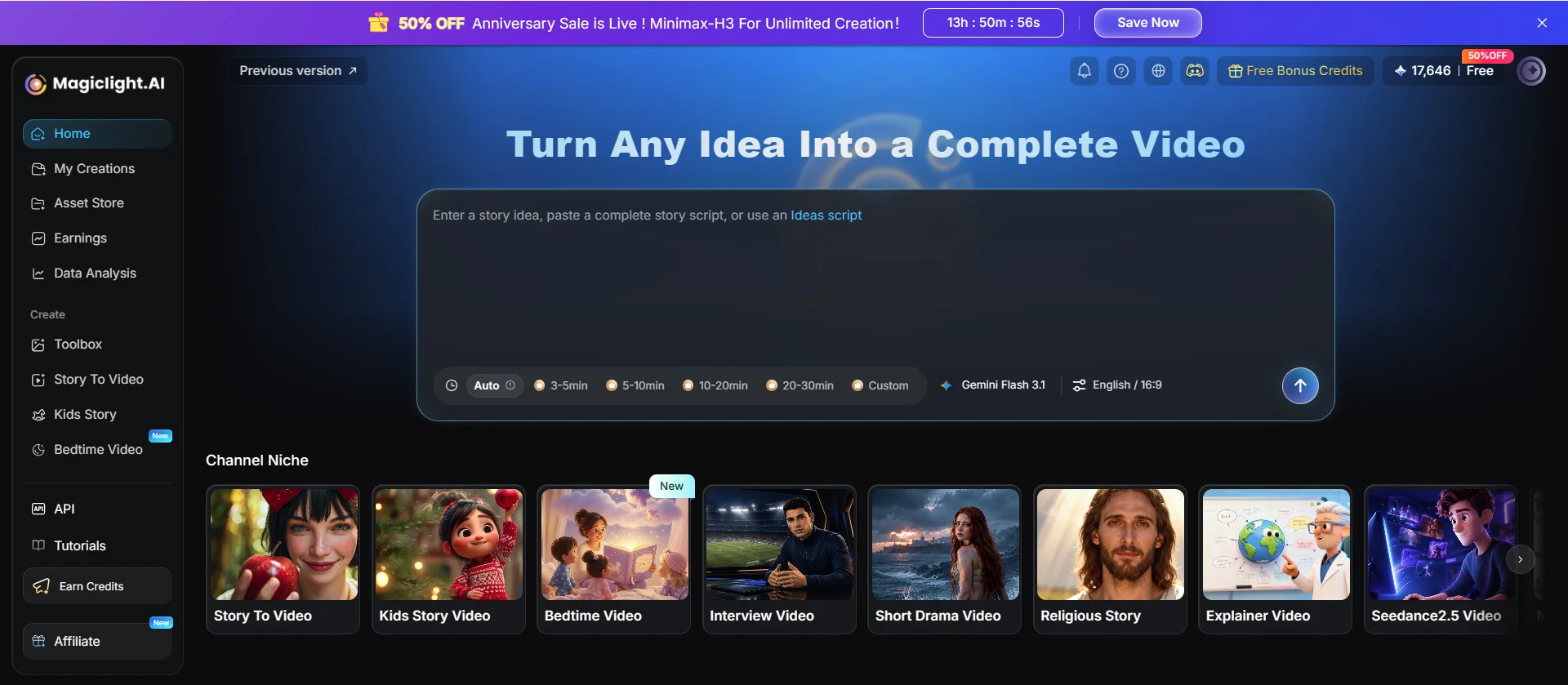
MagicLight AI is designed for complete animated storytelling, making it relevant when dialogue forms part of a larger narrative. Its consistent characters, connected scenes, and long-form video generation help creators develop stories featuring recurring characters. Unlike specialist lip sync tools, MagicLight is not primarily intended to replace mouth movements in existing live-action footage; its strength is character-led animation. Visit this page to learn more.
Key Features
- Character consistency helps recurring animated characters remain recognizable across dialogue scenes and connected narrative sequences.
- Long-form video generation supports extended animated stories in which character interactions contribute to a larger storyline.
- Its integrated creation workflow helps creators develop story-based videos without treating every scene as an unrelated clip.
Best For
Creators producing dialogue-driven animated stories with recurring characters, connected scenes, and longer narrative development.
Pros
- Its story-centered workflow helps creators build connected animated narratives instead of producing isolated talking-character clips.
- Consistent character design benefits episodic videos where audiences repeatedly encounter the same animated personalities throughout a storyline.
Con
- Creators needing precise audio-driven mouth correction in existing live-action footage will likely require a dedicated lip sync tool.
2. Sync Labs
Sync Labs focuses on synchronizing supplied audio with compatible video footage. It is relevant when creators already have recorded speakers and want visible mouth movements to match replacement speech. Its specialized approach addresses existing-video synchronization rather than the creation of complete animated stories.

Key Features
- Audio-driven synchronization adjusts visible mouth movements to match supplied speech in compatible video footage.
- Existing-video processing supports workflows where creators need synchronization without rebuilding the original scene.
- Its specialized approach addresses mouth movement alignment rather than general-purpose story or scene generation.
Best For
Creators and developers matching replacement speech with compatible existing footage in specialized video production workflows.
Pros
- Its specialized focus directly addresses audio-to-mouth synchronization rather than broader video creation needs.
- Existing-footage workflows help creators retain original scenes while changing or replacing dialogue audio.
Con
- Results depend on source footage quality, audio clarity, and compatibility with the selected synchronization workflow.
3. HeyGen
HeyGen excels at taking existing video footage of a real person and dubbing it into over 30 languages while modifying mouth movements to match the translated phonemes natively. Its Avatar IV engine also handles text-to-speech avatar creation from a single photo reference.
Key Features
- Multilingual Lip-Sync & Video Translation: Seamlessly translates existing footage into over 175 languages and dialects, automatically adjusting mouth movements and phoneme timing to match the translated audio natively.
- Custom AI Avatars & Digital Twins: Synthesizes custom avatars (Digital Twins) using reference video footage—including the latest Avatar V engine, which requires as little as 15 seconds of video to replicate likeness, gestures, and custom motion.
- Voice Cloning & Native Audio Synthesis: Features built-in voice cloning that pairs directly with script-to-video generation, matching natural voice characteristics, cadence, and pitch across multiple languages.
Best For
Global Marketing & Multilingual Video Content: Ideal for marketers, creators, and corporate teams needing to localize video campaigns, sales outreach, and training materials across global regions without re-filming.
Pros
- High-Fidelity Realism with Zero Camera Setup: Delivers best-in-class facial synchronization, body movement, and voice matching from text or translation inputs—eliminating the need for expensive filming equipment, studio space, or video editing experience.
Con
- Credit-Heavy Pricing & Occasional Sync Artifacts: Premium features (such as Avatar V generations and 4K renders) consume monthly platform credits rapidly, and lip-sync precision can occasionally drift during rapid speech, extreme head angles, or complex facial hair shots.
4. D-ID
D-ID specializes in talking-avatar videos created from portrait images and speech inputs. It is particularly relevant to organizations that need digital presenters for training, education, and business communication. Its portrait-based approach differs from tools designed to synchronize speech within existing full-body footage or create elaborate animated narratives.

Key Features
- Portrait animation transforms supported still images into talking-avatar presentations for informational video content.
- Script-driven workflows help creators produce presenter videos without repeatedly recording themselves on camera.
- Digital presenters provide a practical format for delivering prepared messages through an animated portrait.
Best For
Businesses and educators creating digital-presenter videos for training, instructional materials, and structured communication.
Pros
- Portrait-based production helps organizations create presenter videos without arranging repeated on-camera recording sessions.
- Script-based presentation workflows are useful for delivering consistent information across training and educational materials.
Con
- Presenter-focused output is less suitable for cinematic animation or stories involving complex character interactions.
5. Wav2Lip
Wav2Lip is an open-source model designed to synchronize visible mouth movements with speech audio. It suits technically experienced users who want to process existing videos through a customizable workflow. Unlike hosted avatar platforms, its appeal lies in technical flexibility rather than a complete, beginner-oriented video creation experience.

Key Features
- Audio-driven processing synchronizes visible mouth movements with supplied speech in supported video workflows.
- Open-source availability allows technical users to explore customized implementations and adapt compatible production pipelines.
- Its specialized purpose makes it relevant to projects requiring mouth synchronization rather than complete video generation.
Best For
Developers and technically experienced creators who need customizable lip synchronization for existing video footage.
Pros
- Open-source access gives technical users flexibility when building or adapting their own synchronization workflows.
- Its specialized focus suits projects where mouth alignment matters more than broader creative generation features.
Con
- Installation and processing may require technical knowledge and suitable computing resources for reliable results.
6. Rask AI
Rask AI specializes in video translation and localization for international audiences. Its translation and dubbing workflows, alongside supported lip sync features, can help creators adapt spoken content for different languages. It is particularly useful when the goal is to make existing videos accessible to viewers in multiple markets.
Key Features
- Video translation adapts spoken content for supported languages when preparing videos for international audiences.
- Dubbing workflows help creators replace original speech with localized audio for different target markets.
- Supported lip sync features can help align localized dialogue with visible speakers in compatible videos.
Best For
Businesses, educators, and creators adapting existing videos for multilingual audiences and international distribution.
Pros
- Translation and dubbing capabilities support localization without rebuilding every video for each target market.
- Its localization-focused workflow helps organizations distribute instructional or promotional content to international audiences.
Con
- Available languages and synchronization features vary according to the platform’s current offerings and subscription.
Compare All the Best AI Lip Sync Video Generators
| Tool | Core Workflow | Audio and Character Handling | Best-Fit Scenario |
| MagicLight AI | Narrative animation | Consistent characters across connected scenes | Dialogue-driven animated stories |
| Sync Labs | Existing-video synchronization | Matches visible mouth movements to supplied audio | Replacing or synchronizing dialogue in footage |
| HeyGen | Script to video | Animates facial micro-expressions | Scalable multilingual localization |
| D-ID | Portrait-to-avatar video | Animates portrait images for spoken presentations | Training materials and digital presenters |
| Wav2Lip | Open-source lip synchronization | Aligns mouth movements with speech audio | Custom technical workflows using existing footage |
| Rask AI | Video translation and dubbing | Supports localization and available lip sync workflows | Multilingual content and international distribution |
Part 2. How to Create Dialogue-Driven Videos with MagicLight AI
MagicLight is most relevant when dialogue forms part of a larger animated narrative with recurring characters and connected scenes.
Step 1. Plan the Dialogue
Write the dialogue and determine how each conversation advances the story or communicates the intended lesson.
Step 2. Establish Your Characters
Define recurring characters and review their visual consistency before developing connected scenes.
Step 3. Organize the Scenes
Structure the dialogue into scenes that follow a clear narrative progression instead of isolated talking shots.
Step 4. Generate and Review
Review generated scenes for character consistency, visual continuity, and whether the dialogue fits the intended narrative.
Step 5. Finalize Your Video
Refine the available output and export the finished animation, using a dedicated synchronization tool if precise live-action lip correction is required.
Conclusion
AI lip sync tools serve different needs, including existing-footage synchronization, talking avatars, multilingual dubbing, and animated dialogue. MagicLight AI is worth considering for narrative animation featuring recurring characters and connected scenes. Sync Labs and Wav2Lip focus on existing footage, while HeyGen, D-ID, and Rask AI address character presentation or localization workflows.
FAQs About AI Lip Sync Video Generators
1. Is MagicLight AI Designed for Existing-Footage Lip Sync?
MagicLight focuses on connected animated storytelling rather than specialized mouth correction for existing live-action videos.
2. Which Tools Synchronize Audio with Existing Video?
Sync Labs and Wav2Lip are options to investigate when matching supplied speech with compatible existing footage.
3. Can AI Lip Sync Tools Support Different Languages?
Some platforms support multilingual dubbing or localization, but language availability and synchronization quality vary across services.
4. What Makes Animated Dialogue Look More Consistent?
Recurring character designs, connected scenes, clear dialogue, and careful review help maintain continuity throughout animated stories.
5. Can AI Lip Sync Videos Be Used Commercially?
Commercial use depends on platform terms and whether you have the necessary rights to source footage, audio, images, and generated content.